
Pipeline config
A pipeline's behavior (what it ingests, how rows are transformed, what it writes out) is fully described by one JSON document, its config. Each save stores a new version in Postgres (see config history); an exported pipeline carries it as pipeline.json.
interface PipelineConfig {
  version: 1;
  source_containers: SourceContainer[];
  dimensions: Dimension[];
  mappings: Mapping[];
  analytic_tables: AnalyticTable[];
  layout?: Record<string, { x: number; y: number }>; // graph editor node positions
}
The worker rejects unknown fields on Mapping, and dimensions is required.
Source containers
A bag of raw files sharing a schema, all under one S3 prefix in the lake.
interface SourceContainer {
  id: string;             // e.g. "transactions_raw"
  name: string;           // human-readable
  path_prefix: string;    // absolute lake key prefix, e.g. "banks/rbc/chequing/"
  format?: "csv" | "ndjson";  // default "csv"
  schema: ColumnSchema[];
  record_filter?: AstNode;    // ndjson only, see below
}

interface ColumnSchema {
  name: string;
  path?: string;          // ndjson only: where to read the value from
  type: "string" | "number" | "int64" | "float64" | "bool" | "date";
  nullable?: boolean;
  assertions?: ColumnAssertions;
}
path_prefix is an absolute key prefix in the lake bucket, so a source can read any folder in the data lake, including folders shared with other pipelines. With auto-runs set up, an upload triggers a run of every pipeline with a matching source prefix. Within one pipeline, no source's prefix may be nested under another's.
CSV sources
The default. Header row, comma-delimited; the worker lists every .csv file under the prefix and streams them through the mappings.
NDJSON sources
format: "ndjson" reads one JSON object per line, the shape log shippers emit natively, from .json, .jsonl and .ndjson files. A file that begins with [ is rejected: this reader does not accept a single JSON array. Lines that don't parse are skipped rather than failing the run, since a truncated final line is normal in a live log file.
Each column's path says where to read its value, as a dotted path with optional [n] indices, defaulting to the column name:
{ "name": "user_agent", "path": "request.headers.User-Agent[0]", "type": "string" }
{ "name": "status",     "path": "status",                        "type": "int64" }
record_filter is a predicate evaluated against the raw record before path extraction, so one log stream can carry unrelated entries and a source can take only the ones it understands:
"record_filter": { "kind": "eq",
                   "left":  { "kind": "col", "name": "logger" },
                   "right": { "kind": "str", "value": "http.log.access" } }
Epoch timestamps, which JSON logs almost always carry and parse_date cannot read, are handled by from_unix.
Dimensions
Reusable reference tables that turn one input value into one or more enriched values. Useful for category tagging, merchant normalization, code-to-name expansion, or any join against a small table.
interface Dimension {
  id: string;
  name?: string;
  match?: "exact" | "keyword_substring";   // default "exact"
  case_insensitive?: boolean;
  on_miss?: OnMiss;                        // default null
  rows: DimensionRows;
}

type OnMiss =
  | "null"                    // unmatched input yields null (default)
  | "passthrough"             // unmatched input is returned unchanged
  | { literal: string };      // unmatched input yields this constant

type DimensionRows =
  | { values: string[]; rows: InlineDimensionRow[] }   // inline
  | { path_prefix: string; key: string; values: string[];
      priority_column?: string };                      // CSV file in the lake

interface InlineDimensionRow {
  patterns: string[];   // exact keys, or substrings for keyword_substring
  values: string[];     // one entry per the dimension's `values` list
  priority?: number;    // keyword_substring tie-break, higher wins
}
match: "exact" is whole-value equality and requires unique keys; a duplicate key is a validation error rather than a silent last-wins. match: "keyword_substring" matches any pattern occurring inside the input, with the highest priority winning ties.
A dimension carries one or more value columns. Reference one from a mapping expression with dim_ref, naming which value you want:
{ "kind": "dim_ref", "dim_id": "merchants", "value": "canonical_name",
  "input": { "kind": "col", "name": "description" } }
value defaults to the first column in values. Dimension ids are flat; there is no nesting.
Inline rows suit small hand-edited tables. File-backed rows read a CSV from the lake, for large or externally maintained tables: key names the CSV's key column, values the columns to expose, and priority_column an optional priority. Dimensions are capped at 1,000,000 rows.
Mappings
A mapping describes how rows from a source container become rows in an analytic table.
interface Mapping {
  id: string;
  name: string;
  source_container_id: string;
  analytic_table_id: string;
  columns: { name: string; expr: AstNode }[];
  where?: AstNode;   // row filter, see below
}
Two mappings may write the same analytic table (a union). Their output schemas must agree on any shared column's type; a conflict is a validation error, but one mapping supplying a subset of the columns is allowed.
Row filters
where drops rows the pipeline shouldn't store. It is evaluated after the column expressions, so the predicate references this mapping's output columns, not the source's, and it runs before dedup and partitioning:
"where": { "kind": "and",
  "left":  { "kind": "not",
             "input": { "kind": "col", "name": "is_bot" } },
  "right": { "kind": "lt",
             "left":  { "kind": "col", "name": "status" },
             "right": { "kind": "num", "value": 400 } } }
Rows evaluating to anything other than true are dropped. Filtering at ingest keeps the warehouse smaller than filtering in every dashboard query.
Expressions
Each output column has an expr, a JSON AST evaluated row-by-row.
| Kind | Shape | Effect |
|---|---|---|
col | { kind: "col", name } | Read a column. |
str / num / bool | { kind: "num", value } | Literal. |
null | { kind: "null" } | Null literal. |
add / sub / mul / div | { kind: "mul", left, right } | Numeric ops. |
concat | { kind: "concat", sep, args } | Join args with a separator. |
upper / lower / trim | { kind: "upper", input } | Case folding / whitespace strip. |
substring | { kind: "substring", input, start, length } | Slice a string; length is optional. |
eq / ne / gt / lt / ge / le | { kind: "gt", left, right } | Comparison, yields bool. |
contains | { kind: "contains", input, pattern } | Substring test. |
and / or | { kind: "and", left, right } | Boolean composition. |
not | { kind: "not", input } | Negation. |
if | { kind: "if", cond, then, else } | Conditional. |
coalesce | { kind: "coalesce", args } | First non-null arg; null if all are null. |
parse_date | { kind: "parse_date", input, format } | Parse a string with a strftime-style format. |
from_unix | { kind: "from_unix", input, unit } | Epoch to date; unit is "s" (default) or "ms". |
year / month / day | { kind: "year", input } | Date part, as int64. |
cast | { kind: "cast", input, to } | Cast to int64, float64, string, date. |
dim_ref | { kind: "dim_ref", dim_id, value, input } | Look a value up in a dimension. |
See src/ast.rs in karet-worker for the authoritative set.
Merchant normalization
Descriptions for one merchant often appear under several variants (MARUHACHI RA MEN LIBRA, MARUHACHI RA MEN LIBRARY). To collapse them into a canonical name without losing unmatched rows, either set on_miss: "passthrough" on the dimension, or coalesce explicitly:
{ "name": "merchant",
  "expr": { "kind": "coalesce",
    "args": [
      { "kind": "dim_ref", "dim_id": "merchants",
        "input": { "kind": "upper",
                   "input": { "kind": "trim",
                              "input": { "kind": "col", "name": "description" } } } },
      { "kind": "upper",
        "input": { "kind": "trim",
                   "input": { "kind": "col", "name": "description" } } }
    ] } }
Analytic tables
Where the worker writes Parquet output.
interface AnalyticTable {
  id: string;
  name: string;
  schema: ColumnSchema[];    // the columns the dashboard / table view will see
  partition_keys?: string[]; // hive path segments, in order; max 2, no floats
  dedup_keys?: string[];     // row identity; duplicate tuples collapse to one
}
Partitioning
partition_keys names schema columns, and the worker writes one Hive-style path segment per key, in order: transactions/year=2026/month=9/<mapping_id>.parquet. Key columns are not written into the Parquet payload; DuckDB re-materializes them from the path on read. Any non-float column type is a legal key: partition by account or category the same way as by date parts. A null in a key column fails the mapping (wrap the expression in coalesce to supply a default).
Monthly partitioning is two ordinary columns computed by the mapping: year: year(parse_date(date, "%Y-%m-%d")) and month: month(...), listed as partition_keys: ["year", "month"].
Deduplication
dedup_keys declares which columns identify a row. After the mapping evaluates (and assertions pass), rows sharing a key tuple collapse to one; the first in ingest order survives, and the dropped count is reported on the job record as rows_deduped. Overlapping re-exports collapse, whether the run is a full one or an incremental one (below). Two different mappings writing one table are not deduplicated against each other.
Incremental runs
A run reads only the source files a mapping has not read before, as long as nothing else that decides the mapping's output has changed. It ingests the new files, drops any new row whose dedup key is already in the table, and rewrites only the partitions the remaining rows fall into. The result is the same table a full run would produce.
A mapping runs in full, re-reading its whole source prefix, when:
- the mapping, its source container, its analytic table, a dimension, or a file-backed dimension's CSV has changed;
- a file it already read was deleted or replaced;
- the table has
dedup_keysand a new file's key sorts before a file already read. Dedup keeps the first row in ingest order, which is key order, so appending matches a full run only when new files sort last. Name uploads so they sort by time, such as2026-06.csvoraccess_<epoch>.csv; - it is the first run since the table was created or restored to an earlier version;
- the job asked for a clean run.
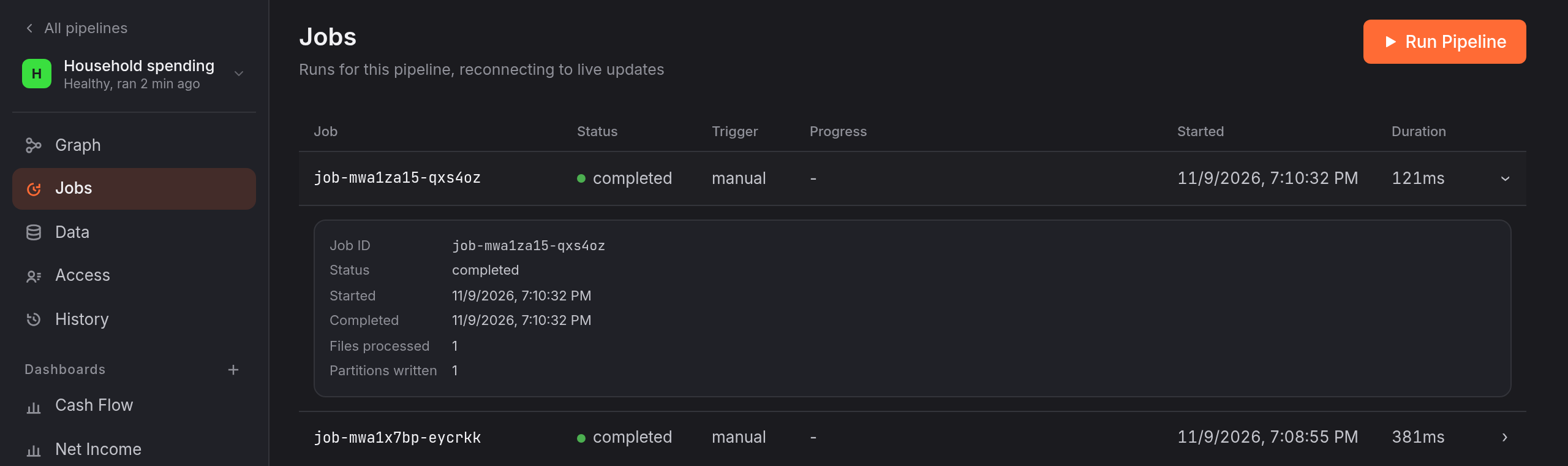
What each mapping has read is stored next to the table's manifest; see data versions. A run with no new files writes nothing. On the job record, files_processed counts only the files the run read, and rows_deduped counts only the duplicates it found among them.
Worked example
The Spending Tracker template ships with this shape:
{
  "version": 1,
  "source_containers": [{
    "id": "transactions_raw",
    "name": "Transactions",
    "path_prefix": "pipelines/spending/transactions/",
    "format": "csv",
    "schema": [
      { "name": "date", "type": "string" },
      { "name": "description", "type": "string" },
      { "name": "amount", "type": "number" },
      { "name": "account", "type": "string" }
    ]
  }],
  "dimensions": [{
    "id": "categories",
    "name": "Categories",
    "match": "keyword_substring",
    "case_insensitive": true,
    "on_miss": { "literal": "OTHER" },
    "rows": {
      "values": ["category"],
      "rows": [
        { "patterns": ["STARBUCKS", "CAFE"], "values": ["FOOD"] },
        { "patterns": ["UBER", "LYFT"], "values": ["TRANSPORT"] }
      ]
    }
  }],
  "mappings": [{
    "id": "transactions_mapping",
    "name": "Transactions Mapping",
    "source_container_id": "transactions_raw",
    "analytic_table_id": "transactions",
    "columns": [
      { "name": "date",
        "expr": { "kind": "parse_date",
                  "input": { "kind": "col", "name": "date" },
                  "format": "%Y-%m-%d" } },
      { "name": "description",
        "expr": { "kind": "upper",
                  "input": { "kind": "col", "name": "description" } } },
      { "name": "amount",
        "expr": { "kind": "cast",
                  "input": { "kind": "col", "name": "amount" },
                  "to": "float64" } },
      { "name": "account",
        "expr": { "kind": "col", "name": "account" } },
      { "name": "category",
        "expr": { "kind": "dim_ref",
                  "dim_id": "categories",
                  "input": { "kind": "upper",
                             "input": { "kind": "col", "name": "description" } } } },
      { "name": "year",
        "expr": { "kind": "year",
                  "input": { "kind": "parse_date",
                             "input": { "kind": "col", "name": "date" },
                             "format": "%Y-%m-%d" } } },
      { "name": "month",
        "expr": { "kind": "month",
                  "input": { "kind": "parse_date",
                             "input": { "kind": "col", "name": "date" },
                             "format": "%Y-%m-%d" } } }
    ]
  }],
  "analytic_tables": [{
    "id": "transactions",
    "name": "Transactions",
    "schema": [
      { "name": "date", "type": "date" },
      { "name": "description", "type": "string" },
      { "name": "amount", "type": "float64" },
      { "name": "account", "type": "string" },
      { "name": "category", "type": "string" },
      { "name": "year", "type": "int64" },
      { "name": "month", "type": "int64" }
    ],
    "partition_keys": ["year", "month"]
  }]
}
Reading logs directly
The Traffic Analytics template shows the NDJSON path end to end: a record_filter selecting access-log entries, dotted paths pulling fields out of nested request objects, from_unix turning the epoch timestamp into a date, a where filter dropping bot traffic, three dimensions enriching the rows, and two mappings unioning into one table.